VirtuProbe Studio
Download

The workbench, end to end.

VirtuProbe Studio chains sixteen protocols into one test, runs chains as suites that report to CI and lets an agent build and run them over MCP.

Security

How each release is checked.

As I finally got my cybersecurity exception extended to Mythos, Anthropic's security model, we now run a Mythos vulnerability assessment before every release. Even the most trivial findings are addressed before you can grab the version.

Generated code

Why running the system matters more once a model writes the code

Finding out whether an integration works still takes time: under load, against malformed input, on the protocol that does not quite follow the spec.

A model writes the happy path well. Sending a CRLF in a header field to see what your reverse proxy does with it is still up to you, with a client willing to send a header the spec forbids.

the shift

Writing the code stopped being the slow part.

Generated code can reach production minutes after it was written, before anybody has read it closely enough to spot a bug in it.

malformed input

Generated clients stay inside the spec.

A model reproduces the code it has seen, most of which sends well-formed requests.

Malformed envelopes and the undocumented corners of a protocol are rare in that code.

the workbench

Most of the protocol stacks are our own.

Eleven of the sixteen (HTTP, SMTP, IMAP, LDAP, DNS, SpamAssassin, SMB, Kerberos, Redis, FTP and STOMP) are written straight from the RFCs. No client library sits between your probe and the target to correct a request, so you can send what the spec forbids.

Anatomy of a chain

order → email → directory, in one chain.

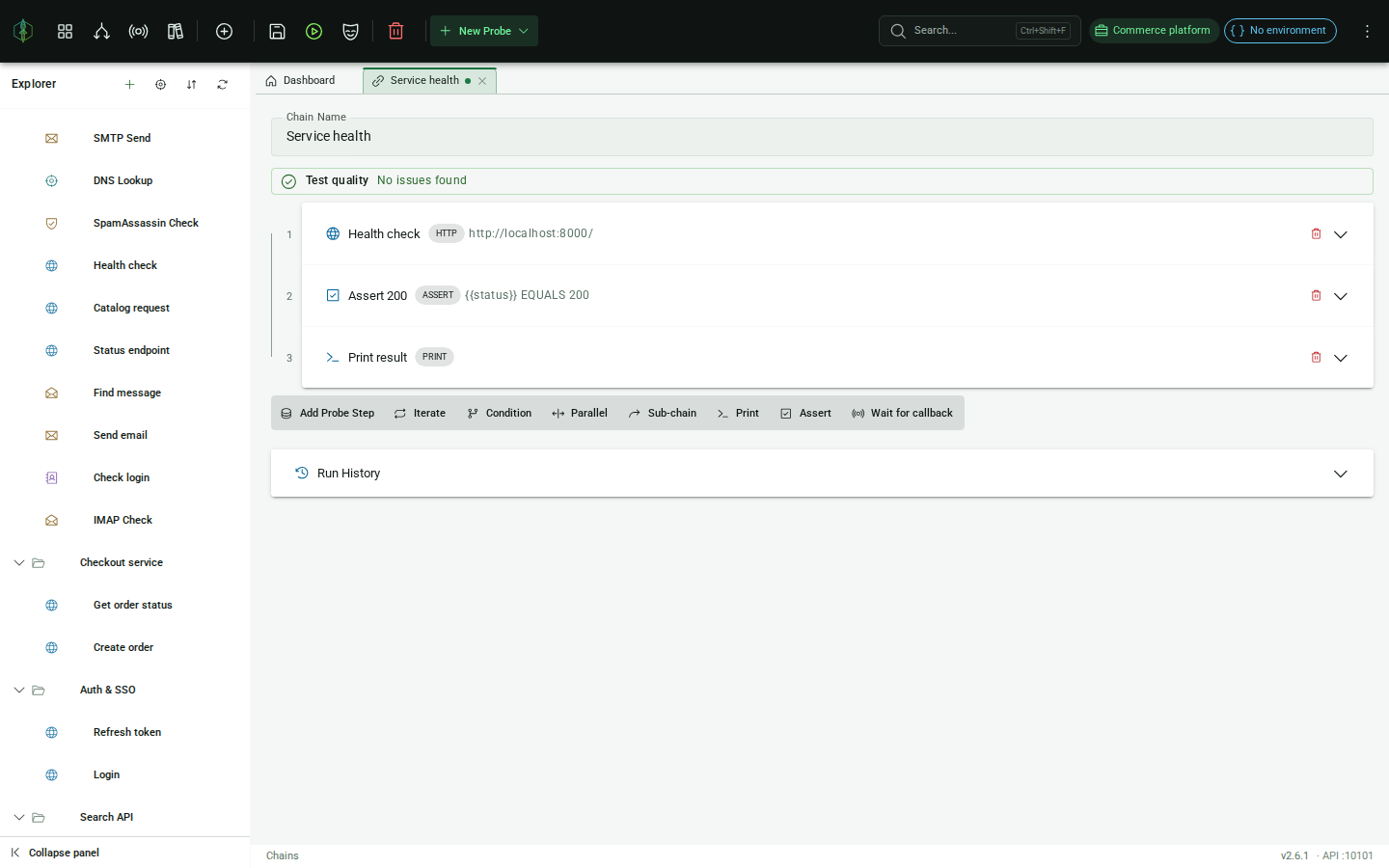
Steps pass data to each other through {{variables}}. A chain can iterate over a list, branch on a response, fan steps out in parallel or call another chain as a sub-chain, with any protocol in any step. On an Enterprise license, the same chain also runs in CI or on an execution server inside your network.

HTTP POST /orders · place order extract orderId
→
IMAP INBOX · "Order {{orderId}} confirmed" extract emails
→
ASSERT Email arrived assert {{emails}} EQUALS 1
final steps: LDAP lookup of cn=jdoe · assert {{accounts}} EQUALS 1
VirtuProbe Studio/Chain editor
5 steps · passing
The chain editor with the five-step Confirm order chain passing: an HTTP order, an IMAP search for the confirmation email, an LDAP customer lookup and two assertions, with the extracted orderId and emails values in the results
Each step lists the values it extracted under its result, here orderId = 21 and emails = 1

Suites and results

A suite runs your chains and reports pass or fail to CI.

A chain covers one flow. A suite wraps several chains in setup and teardown and runs them as one job.

structure

Setup, the tests, then teardown.

The chains named as setup run first and whatever they extract is handed to every test chain. The test chains are isolated from each other, so each one starts from the same state after setup and a failure in one does not carry into the next.

Teardown runs whether the tests passed or not. A failing teardown does not turn the suite red, because a cleanup problem is not a test result. By default the whole set runs and the results aggregate. Stopping at the first failure is a switch.

evidence

Recent runs are kept.

Each chain and each suite keeps its last twenty runs with the result of every step. You can reopen any of them or download a whole run as JSON with nothing re-executed to produce it.

The same run exports as JUnit XML, for a chain or for a suite, which is the format most CI servers already read.

regression

The dashboard tracks regressions.

It shows the pass rate over a window of runs, which chains regressed, how many runs in a row each one has failed and when it last passed, with the recent chain and suite runs listed underneath.

Two runs of the same chain can be compared side by side to see which step changed and what changed inside it. Steps are paired by identity, so a step you moved between the runs still lines up with itself.

Agents

Agents work in the same workspace you do.

VirtuProbe runs an MCP server, so an agent builds and runs tests in your workspace. The chains it builds are ordinary chains in ordinary bundles, which you can open, change and rerun like your own.

connect

An agent connects over MCP.

The MCP server is an endpoint inside VirtuProbe itself, so there is nothing extra to install. An agent that connects gets 46 tools, enough to inspect your workspace, create probes, save and run chains and suites, fuzz, run scripts, import collections and drive the proxy.

Those tools call the same services the app uses, so an agent works under the license you already have and each tool stops at the same tier gate you would.

consent

You decide what an agent may touch.

A new agent can read the workspace but cannot change or run anything until you approve it. Approving means choosing which projects it may reach.

Every write and every run is traced back to the projects that own its target and refused unless you approved those projects. You can block an agent while it is working.

watch

Agent runs appear while they happen.

Connected agents are listed with the runs they start, step by step as they execute. MCP over HTTP holds no connection open, so connected means an agent sent a request recently rather than that a socket is live.

Refused attempts appear too, with the reason, so a call into a project you have not approved or on an unlicensed protocol never fails silently.

step in

Open what an agent is working on.

A failed step is a link. Clicking it opens that chain at that step in the editor, where you can change it and run it again.

The agent keeps working while you do, on the same chain you have open.

skills

Hand over one capability at a time.

A skill publishes a chain or a script under a fixed contract: typed inputs, declared outputs, one pinned environment. An input marked secret carries the name of a credential binding, never a value.

The environment cannot be passed in, because the environment decides which target a stored credential is sent to. Point at a chain you already have and the contract is derived for you to review.

events

Every run, on a stream.

Runs are published as Server-Sent Events, whether you started them or an agent did. Filter to agent-driven runs, to a single chain or to failures only.

The stream is on every tier, because watching your own instance carries nothing the run history does not already hold.

Use cases

What VirtuProbe is built for

The same probes and chains serve every use case below, so a check written while testing an integration can run again in a security review.

Integration testing

End-to-end flows across protocols.

Placing an order over HTTP, checking it in PostgreSQL and catching the confirmation email is one chain that runs the same way on your machine and, on an Enterprise deployment, in CI.

  • Cross-protocol assertionsAssert that the API call produced a verification email carrying the right token, inside a time limit you set.
  • IteratorsDrive a chain from a list, a file of lines or a value an earlier step extracted.
  • MCP clientThe HTTP probe speaks Model Context Protocol, so it can call an MCP server, carry the session through a chain and assert on the tools that server exposes.
  • Reproducible artifactsA chain exports as a single file you can commit next to the code it tests.
Mail & identity infra

Mail, directory and identity protocols in one place.

  • SMTP & IMAP probesSend a malformed envelope, read what arrived and compare it with what you expected.
  • LDAP queries & bindsQuery a domain controller and assert on directory state partway through a chain.
  • DNS resolutionQuery any resolver for A, AAAA, MX or TXT records, assert on the RCODE and pass an address to the next step.
  • SpamAssassin scoringScore a message from inside the chain, so a deliverability regression fails the run.
Security research

The requests a spec-abiding client cannot make.

The Security tier adds SMB, Kerberos and Freestyle probes, fuzzing and raw byte-for-byte sends to everything below it.

  • Hand-rolled stacksNothing normalizes a request before it is sent, so a duplicated header or a wrong length field goes out exactly as you wrote it.
  • Freestyle probesWhen the thing you are testing has no module, you write the exchange yourself: raw bytes over TCP or UDP, as text, hex or base64, with your own rule for where each reply ends.
  • DCSync secret dumpAn SMB probe replicates an account from a domain controller and decrypts its password to the NT hash, as a step you can chain and assert on.
  • Built-in MITMThe proxy captures traffic in every protocol it decodes and turns it into an editable probe you can replay, mutate or fuzz.
  • LibraryCurated collections of probes and chains for the checks you would otherwise write again on every engagement.

Capabilities

Every feature is built on probes

Chains, scripts, the fuzzer and the proxy all work with the same probe, so a request you capture in the proxy can be replayed, chained, scripted or fuzzed without rebuilding it.

Probes

A probe is one request on one of sixteen protocols. MySQL, PostgreSQL, SQL Server and MongoDB go through their standard drivers. Freestyle lets you write a raw TCP or UDP exchange yourself.

HTTP · SMTP · IMAP · LDAP · DNS · SMB · Kerberos · SpamAssassin · Redis · FTP · STOMP · MySQL · PostgreSQL · SQL Server · MongoDB · Freestyle

Chains

Next to the sixteen protocol steps a chain has control steps: CONDITION, ITERATE, PARALLEL, CHAIN_REF for a sub-chain, ASSERT, SCRIPT, PRINT and WAIT_FOR_CALLBACK for an out-of-band callback.

IF {{status}}=='200' → then / else · PARALLEL · CHAIN_REF

MITM proxy

Intercept system-wide or scoped to a hostname. The proxy decodes thirteen protocols (HTTP, SMTP, IMAP, DNS, FTP, MySQL, PostgreSQL, SQL Server, MongoDB, Redis, STOMP, SMB and Kerberos) and lists every flow in a table you can filter. Any line promotes to an editable probe, ready to chain, replay or fuzz.

13 protocols · filter · capture → probe

Service virtualization

When a request matches a mock rule, the proxy answers with a synthetic response. Build the rule from a captured exchange or write the match yourself, to stand in for a service that isn't built yet or to force the edge case a real server won't give you.

capture → mock · match rules · stand-in services

JavaScript scripting

Scripts, SCRIPT steps and CONDITION expressions are JavaScript, written in an editor with syntax highlighting, autocomplete and linting. A script reaches your workspace only through the vp object and has no access to files or the host.

vp.send("Login", "SMTP auth", vars) · r.extract("SMTP_SUCCESS", null)

Library

Ready-made checks for OAuth flows, SMTP DSN edge cases, LDAP audits and spam-score regressions. Bring your own and share them with your team.

1,100+ probes & chains · 18 collections

Directory-backed workspaces FREE

Point VirtuProbe at a folder and your probes, chains, scripts, suites and environments become plain files. Keep the folder in Git, Dropbox or on a network drive, while secrets stay in the local encrypted store.

folder · Git-backed · diff & review in your own repo

Fuzzing

Mark any probe field with §payload§, add a wordlist and run it. Each result lands in a table with its status, duration and a body preview, so a result with an unusual status or duration is easy to spot.

§payload§ · 200 runs · 3 anomalies

AI assistant FREE · BYOK

Bring your own model: any OpenAI-compatible endpoint, including a local one. The assistant reads your responses, explains what broke and builds chains and scripts on request. Every write and every run waits for your approval.

BYOK · approve / run · local models

Unified credential store

Every scheme is picked from one list. OAuth2 in every grant flow, Basic, Bearer, API key and Digest are free. The Windows and enterprise schemes (NTLM, Pass-the-Hash, SPNEGO/Kerberos, AWS SigV4, mTLS and scripted auth) come with Engineering. Secrets live apart from the probe and never reach run history.

OAuth2 · SigV4 · NTLM / SPNEGO · per-project, per-run

Import & export

Bring existing work in from OpenAPI, Postman, Bruno, HAR, .http or Insomnia, or paste a cURL/wget command onto a probe. Export back out as cURL, wget, Python or PowerShell.

OpenAPI · Postman · Bruno · HAR · Insomnia

GraphQL

The HTTP probe has a Query and a Variables editor for GraphQL. Both are serialized into the request body when the probe is sent. From there you can chain, script or fuzz the request like any other.

query · variables · runs as HTTP

Action Mode

SMTP, IMAP and LDAP probes have an Action Mode, the simplified form where you state the outcome you want: send an email, find a message, check a login. VirtuProbe then runs the EHLO, SELECT or BIND conversation for you. Switch to Advanced when you want exact control over each command.

send email · find message · check login

MCP testing

Point the HTTP probe at a Model Context Protocol server, over Streamable HTTP or legacy SSE. Chain the handshake, stream events live and read every response for tool-poisoning. Fuzz the JSON-RPC like any other request.

initialize · tools/call · tool-poisoning scan

Databases

Run SQL against MySQL / MariaDB, PostgreSQL and SQL Server, queries against MongoDB and commands against Redis, all as probes. Pull out a column or a document field, chain it into the next step and assert on the result. Fill the form, or paste a full mongo shell query verbatim.

MySQL · MariaDB · PostgreSQL · SQL Server · MongoDB · Redis

The library

Over a thousand ready-made tests to start from

The library holds recon sweeps, fuzzing payloads, kerberoasting, JWT brute-force, AD enumeration and integration smoke tests, plus curated multi-step chains. Import any of them into a bundle and run it, or search the whole catalog on the library page.

1,100+ ready-made tests 18 collections 160+ multi-step chains recon · fuzzing · AD · API · integrations

Deployment

On your laptop, or on a server inside the network you are testing.

VirtuProbe Studio is a desktop application that by default runs everything it needs on your laptop. When the systems you have to reach sit in a network your laptop is not on, an Enterprise deployment puts the execution server into that network and the application connects to it, so probes fire from inside rather than over a VPN.

Standalone desktop app

One install with nothing to stand up alongside it, so you open it, probe what you need and close it again.

[ your machine ] VirtuProbe Studio ↓ targets
  • macOS, Linux, Windows
  • Workspaces stored locally on disk
  • No account needed

Split execution: a server inside the target network

You keep working in the same application on your machine while the probes go out from the execution server.

[ your machine ] [ target network ] VirtuProbe → execution server ↓ targets
  • The execution server ships as a Docker image
  • Token authentication turns on as soon as the server listens beyond localhost
  • One port between the application and the execution server

One workspace for the whole team

Keep the workspace folder in a Git repository so every teammate's app opens the same tests.

git repository ↓ workspace folder ← everyone's app
  • Branch, diff and review a test like source
  • Pull a teammate's change and the app reloads
  • Environment values can be encrypted before they are written

Why you can install it

How we handle your credentials and data

The makers

One builder and an independent business.

Built in Prague by Jakub Stonavský, with help from a second developer, as an independent product funded by the people who use it. The people who make it answer the mail. Meet the team →

The build

Release builds and checksums.

Every installer comes out of an automated CI/CD pipeline, with no hand-built binaries. Every download has a published SHA-256 checksum, macOS builds are signed and notarized and the changelog is public.

Your data

Your data stays on your machine.

There is no cloud service, no telemetry and no account. Workspaces live on your disk and credentials sit in a local encrypted store, apart from your probes and never in run history. On its own the app contacts us only to validate a license and to check for a new version. The Library is downloaded from GitHub when you browse it. The AI assistant talks only to the model endpoint you configure.

Disclosure

If you find something, tell us.

Send security reports to [email protected]. A person reads every report.

Downloads

No account · No cloud · Runs on your machine

v3.3.0 · macOS builds are signed and notarized. Every download has a SHA-256 checksum:

SHA256: mac-arm64 · mac-x64 · AppImage · win-x64